
Export
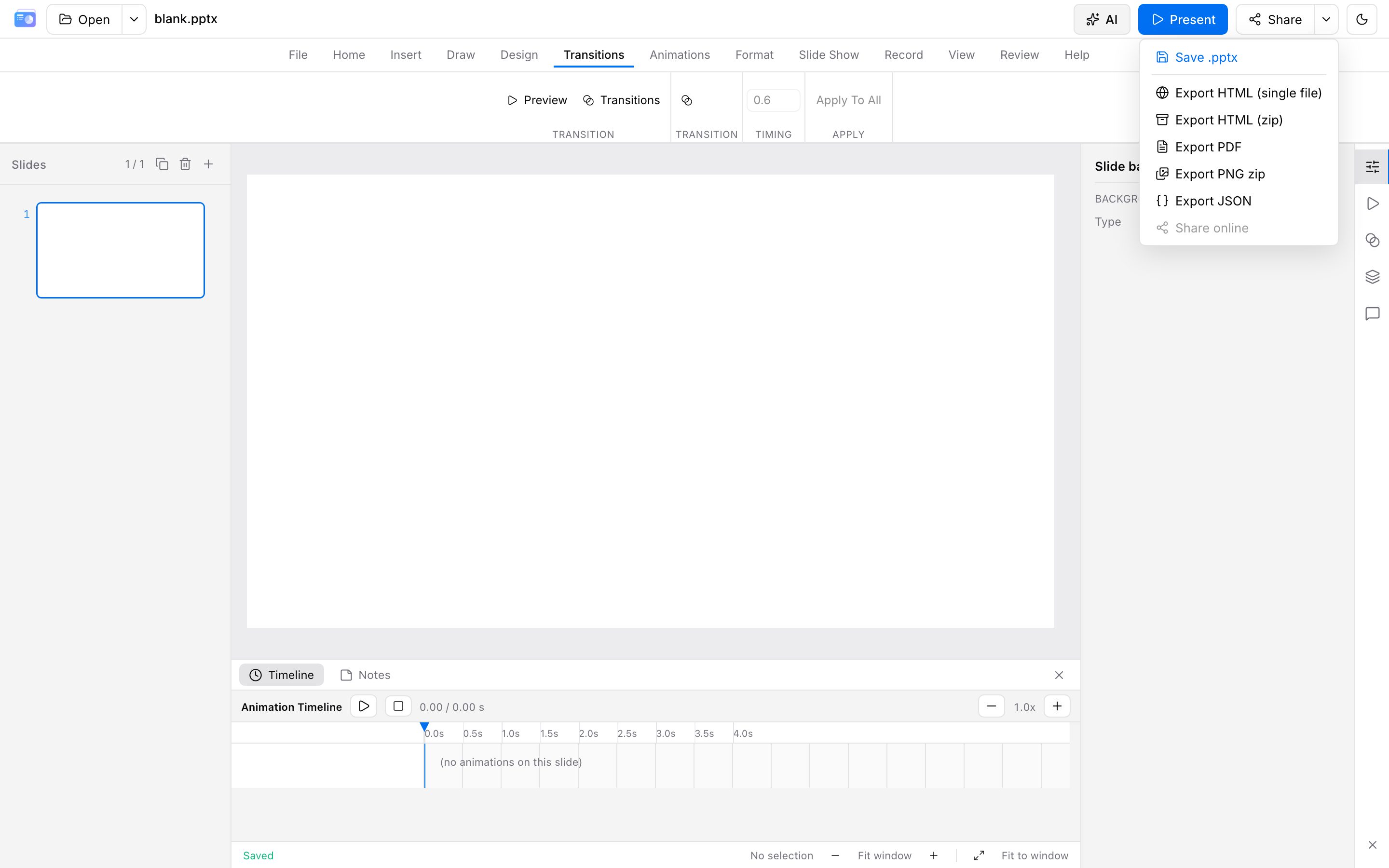
When you finish, open Share at the top right. Files download to your device.
PPTX / HTML export requires sign-in. PDF / PNG zip, and saving the show as a video, are generated on this device, free, and not counted toward quota (including for guests). Guests who pick PPTX / HTML are sent to the console login. After login you return to the editor. Guest drafts on this device merge into that account.
Saving .pptx and exporting HTML / HTML zip are generated on the gateway and then downloaded. PDF / PNG zip, and saving the show as a video, run in the browser.
Formats
| Format | Use |
|---|---|
.pptx / .pptm | PowerPoint / Keynote can keep editing the export (macros pass through, not executed) |
| HTML (single file) | Offline share with inlined assets |
| HTML zip | HTML + assets/, suitable for your own hosting |
| Distribution and print (free, on-device, not counted) | |
| PNG zip | One image per slide (free, on-device, not counted) |
File → Print opens the browser print dialog for a quick paper copy. Use PDF export for formal handouts.
For high-stakes decks, check layout and fonts in PowerPoint.
How pages are counted
- Counts: local downloads of PPT / HTML (including Ctrl/Cmd+S save as .pptx). One slide counts as one page.
- Does not count: PDF / PNG zip, saving the show as a video (on this device), online share publish/update, slideshow, local autosave (browser IndexedDB), cloud upload, print preview
- Quota resets each month on the anniversary of when beta access started (last day of the month if that day does not exist). Unused pages do not roll over
- Each download deducts again; exceeding the cap blocks export
Current beta quotas are in Account & beta. Trust the meters in the editor and console.
Advanced motion and plugins
In-product slideshow can use advanced transitions and playback plugins. HTML / HTML zip export in beta keeps those effects and packs the playback plugins you checked, including ones you imported. Editor plugins stay in the editor. See Playback plugins.